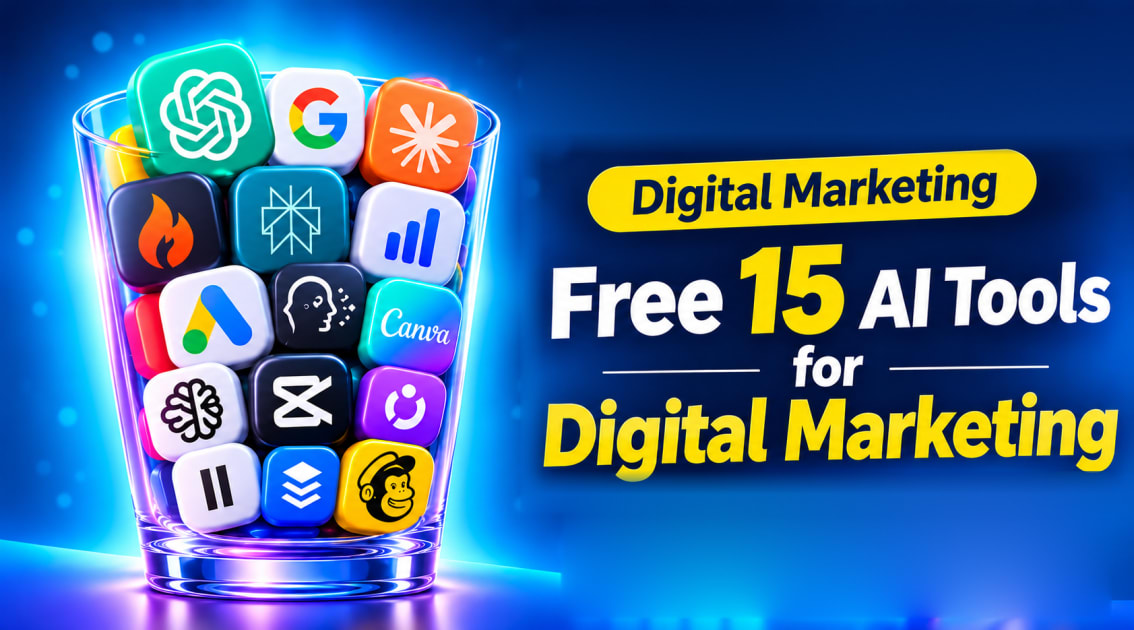
Imagine drafting a week of social media posts before your morning chai gets cold, designing a poster without hiring a designer, and turning one idea into a video without ever stepping in front of a camera. A few years ago, that took a team and a budget. Today, the best free AI tools for digital marketing can do it, and you can start without paying anything.
The catch? There are hundreds of tools, and most lists just throw names at you. This guide picks 15 worth trying, grouped by the job you need done, with what each one is good for and a quick tip or prompt you can use today. If you are learning marketing as a career, you can also practise them on real projects in the ZiaEdTech Digital Marketing with AI course.
Why Use AI Tools in Digital Marketing?
Digital marketing involves many repetitive tasks: writing captions, researching keywords, resizing images, scheduling posts, and building reports. AI tools reduce the time these tasks take, so you can spend more energy on strategy and creativity.
Here is what AI helps with most:
Speed: Draft a week of social posts in minutes instead of hours.
Ideas: Get fresh angles when you are stuck on a topic or headline.
Cost: Replace paid software in the early days with free plans.
Skill building: Beginners can produce professional-looking work while they learn.
One warning before we start. AI output is a first draft, not a finished product. Always edit it so it matches your brand voice, and fact-check any numbers or claims.
How We Chose These Free AI Tools
We picked tools that meet four simple tests:
They offer a free plan or free tier you can use today.
They solve a real digital marketing task.
They are beginner friendly.
They are widely used or growing fast among marketers and creators.
Free plans change often. Credits, word limits, and commercial-use rules can be updated at any time, so check each tool's pricing page before you rely on it for client work.
Free AI Tools for Content Writing and Ad Copy
Content is the base of most marketing. These four tools help you plan, write, and improve it.
1. ChatGPT
ChatGPT is one of the most popular AI assistants for writing. It can draft blog outlines, social captions, email subject lines, and ad variations from a short prompt.
Best for: Brainstorming, first drafts, and rewriting copy in different tones.
Free plan: A free tier is available, with usage limits that may change.
Try this prompt: "Write five Instagram captions for a coaching institute targeting college students. Friendly tone, under 30 words each."
2. Google Gemini
Google Gemini works well for research, summaries, and outlines, and it connects with Google tools many marketers already use.
Best for: Research-based content and quick summaries of long documents.
Free plan: Available with a Google account, with limits on advanced features.
Try this prompt: "Summarise the main trends in short-form video marketing and suggest three blog titles."
3. Claude
Claude is known for natural-sounding writing and for handling long documents, which makes it useful for editing and long-form content.
Best for: Long blog posts, editing your own draft, and clear explanations.
Free plan: A free tier is available with daily usage limits.
Try this prompt: "Edit this paragraph to be clearer and more conversational, but keep my main points."
4. Blaze
Blaze is built specifically for marketing content, including ad copy, social posts, and campaign ideas. It is a good option if you want marketing-focused output rather than a general chatbot.
Best for: Ad copy and marketing content for small businesses.
Free plan: Check the pricing page, as free access and trial terms can change.
Try this prompt: Enter your product, audience, and goal, then ask for three ad headline options.
Want more options beyond AI writing tools? Our guide to top digital marketing tools in 2026 covers tools for SEO, social media, email, and analytics.
Free AI Tools for Research and SEO
Search engine optimisation (SEO) brings steady, free traffic over time. These tools help you find what people are searching for and what to write about.
5. Perplexity
Perplexity is an AI search tool that shows sources next to its answers, which makes checking facts easier.
Best for: Market research, competitor research, and finding statistics.
Free plan: A free tier is available with limits on advanced searches.
Try this prompt: "What are the most popular social media platforms for small businesses in India? List sources."
6. Seona AI
Seona AI is an AI-driven SEO tool aimed at small businesses that want help improving their search visibility without hiring an agency. (Please confirm the exact website address and current free plan before publishing.)
Best for: Small business owners who are new to SEO.
Free plan: Check the current pricing page for free access or trial terms.
Tip: Use it alongside the keyword tools below so you understand why each recommendation is made.
7. Google Keyword Planner
Google Keyword Planner shows keyword ideas and estimated monthly search ranges. It is free with a Google Ads account, and you do not have to run ads.
Best for: Checking whether people search for your topic and spotting related keywords.
Free plan: Free to use.
Tip: Set the location to India if your audience is Indian, and prefer specific keywords over very broad ones.
8. AnswerThePublic
AnswerThePublic turns a keyword into the real questions people ask, such as "how," "why," and "which." Those questions make excellent blog headings and FAQs.
Best for: Finding long-tail blog topics and FAQ ideas.
Free plan: Limited free searches per day.
Tip: Type a broad topic like "email marketing" and pick the questions that match your audience.
Want to go deeper on keyword research? Read our guide to free tools for keyword research in digital marketing, or learn it hands-on in the Digital Marketing with AI course.
Free AI Tools for Design, Images, and Video
Visuals decide whether people stop scrolling. These tools let non-designers create polished graphics and videos.
9. Canva
Canva is a simple design platform with AI-assisted features for social posts, banners, presentations, and thumbnails.
Best for: Instagram posts, YouTube thumbnails, and quick brand graphics.
Free plan: A generous free plan exists, while some AI features and assets need a paid plan.
Tip: Create a brand kit with your colours and fonts so every design looks consistent.
10. Ideogram
Ideogram is an AI image generator that is especially good at producing images that contain readable text, such as posters and logo-style graphics.
Best for: Posters, social graphics with text, and concept visuals.
Free plan: Free usage is limited by credits, so check the current terms.
Try this prompt: "A modern poster for a digital marketing workshop, bold headline, blue and white colours."
11. CapCut
CapCut is a popular video editor for reels and short videos, with auto-captions, templates, and effects.
Best for: Instagram Reels, YouTube Shorts, and TikTok-style edits.
Free plan: A free version is available, with some premium effects locked.
Tip: Turn on auto-captions, since many people watch videos without sound.
12. Oza AI
Oza AI is a tool for creating faceless videos, which are videos that use visuals, stock footage, and voiceover instead of a person on camera. (Please confirm the official website and current free plan before publishing. If you cannot verify it, replace this entry with a tool you have tested yourself.)
Best for: Creators and brands that want to publish video without filming.
Free plan: Verify the current free plan and watermark rules.
Tip: Write a short script first, then let the tool match visuals to each line.
Free AI Tool for Voice and Audio
13. ElevenLabs
ElevenLabs creates realistic AI voiceovers from text. Pair it with a faceless video tool and you can produce a full video without recording your own voice.
Best for: Voiceovers for reels, explainer videos, ads, and podcasts.
Free plan: A free tier is available, with monthly character limits and rules about commercial use. Read them before using voiceovers in client work.
Tip: Write for the ear, with short sentences and natural pauses.
Free AI Tools for Social Media and Email
14. Buffer
Buffer helps you plan and schedule posts across social channels, and its AI assistant can help you rewrite or repurpose content.
Best for: Scheduling a week of posts in one sitting.
Free plan: A free plan supports a small number of channels and scheduled posts.
Tip: Batch your content once a week, then let the scheduler do the rest.
15. Mailchimp
Mailchimp is an email marketing platform with a free plan for small contact lists and AI features that suggest content and subject lines.
Best for: Newsletters, welcome emails, and simple campaigns.
Free plan: Free for small lists, with limits on contacts and sends.
Tip: Use ChatGPT or Claude to draft three subject lines, then A/B test the best two.
Mailchimp and Brevo are both covered in the Digital Marketing with AI course, if you want to learn email marketing hands-on.
How to Combine These Tools Into One Free Workflow
Using one tool at a time is fine, but the real value comes from connecting them. Here is a simple weekly workflow that costs nothing to start:
Research (30 minutes): Use Perplexity and AnswerThePublic to find a topic and the questions people ask about it.
Validate (10 minutes): Check the keyword in Google Keyword Planner.
Write (45 minutes): Draft the post with ChatGPT, Gemini, or Claude, then edit it in your own voice.
Design (20 minutes): Create a cover image in Canva or Ideogram.
Repurpose (30 minutes): Turn the post into a short script, add a voiceover with ElevenLabs, and build a faceless video with Oza AI or CapCut.
Publish (15 minutes): Schedule social posts in Buffer and send a short email through Mailchimp.
In about two and a half hours, you turn one idea into a blog post, a graphic, a video, a set of social posts, and an email.
Common Mistakes to Avoid
Publishing raw AI output. Readers and search engines can tell when content is generic. Add your own examples and opinions.
Using too many tools at once. Start with two or three, learn them well, then add more.
Ignoring licences. Some free plans limit commercial use or require attribution. Check the terms before using AI images or voices for clients.
Skipping fact-checks. AI can state wrong information confidently. Verify statistics with a trusted source.
Sharing private data. Do not paste confidential client information into free tools.
Forgetting the strategy. Tools help you execute, but you still need a clear audience, goal, and message.
ConclusionThe best free AI tools for digital marketing can save you hours every week and help you produce work that looks professional, even on a tight budget. Start small: pick one tool for writing, one for design, and one for research. Practise for a month, then expand your toolkit.
Tools are only half the story, though. The marketers who succeed combine them with a solid understanding of strategy, SEO, and audience behaviour. If you want guided, hands-on training, join the ZiaEdTech Digital Marketing with AI course and learn how to use AI tools on real campaigns, with live online classes, projects, and placement support.